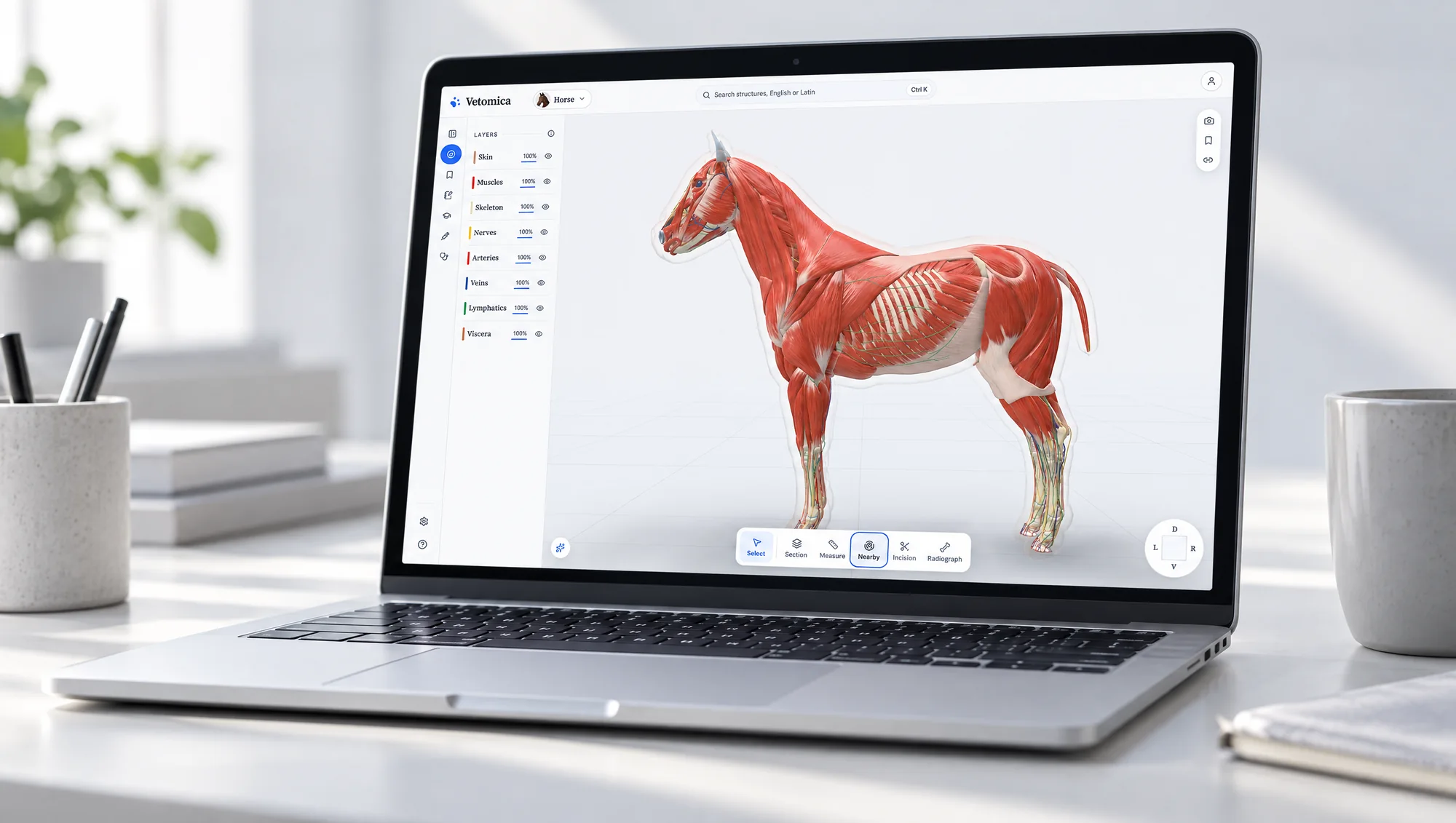
Everything on the bench.
The whole atlas, grouped by the job you came to do. Anything not marked is free; the plans say what Pro and Clinic add.
The animals
Four complete animals with 5,965 named structures between them. Each is one specimen in one pose, every layer modelled on the same body.
- Cat, dog, pig, horse
- 1,036, 1,444, 667 and 2,818 named structures. Every one is a separate piece you can select.
- Two languages
- Each structure is named in the Nomina Anatomica Veterinaria and in plain English, with its side.
- Nine layers
- Skin, muscles, tendons, skeleton, nerves, arteries, veins, lymphatics and viscera, each shown, hidden or faded on its own.
- See-through skin
- The skin is drawn as a clear body, so you always know where the outside of the animal is.
- In the browser
- A laptop, a tablet or a phone. The animal downloads once and opens from the cache after that.
Find and read
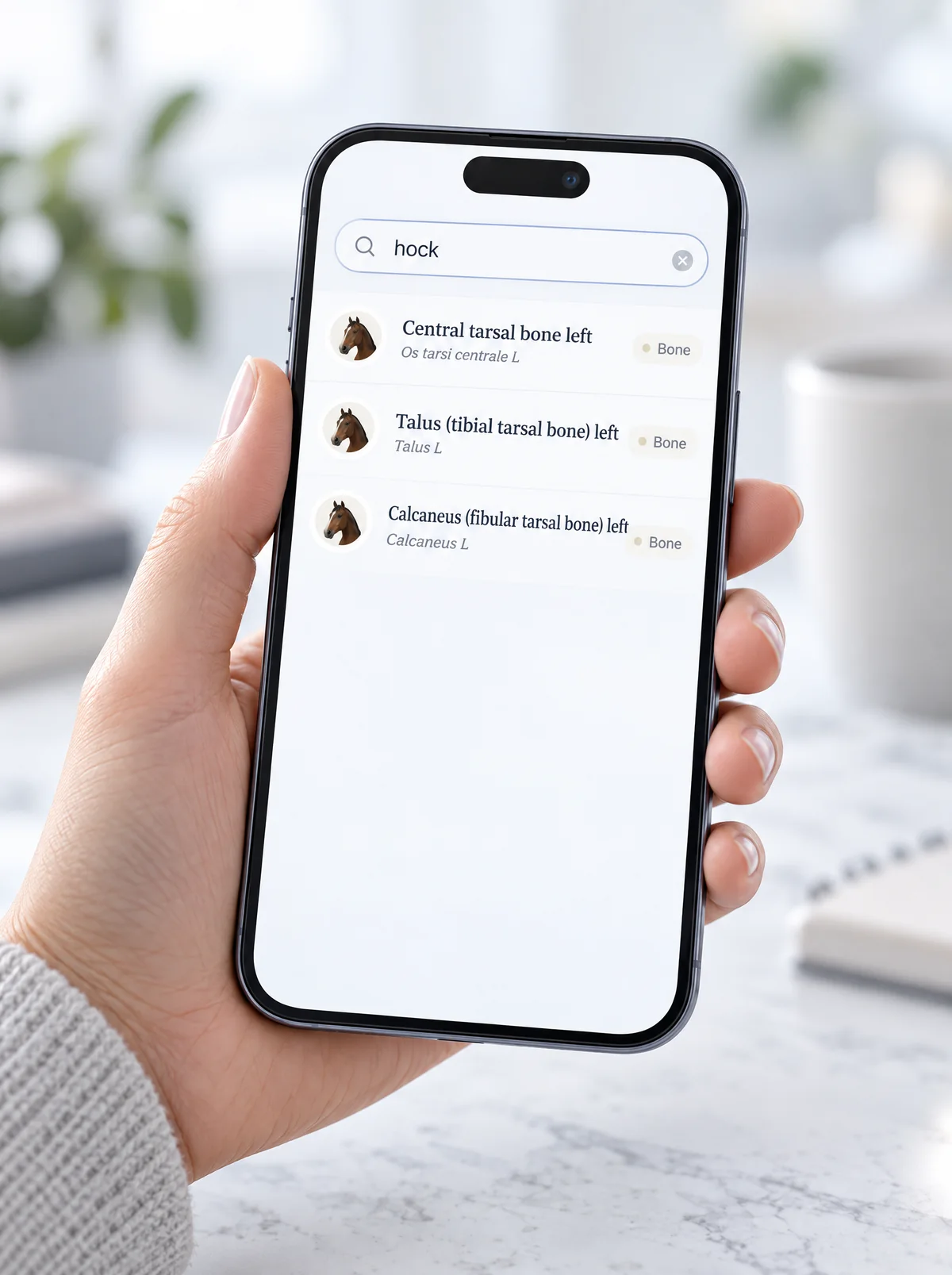
Search the way you would ask a colleague, then read what the structure is, what it touches and where each fact came from.
- Search
- English, Latin or the everyday word: ‘hock’ finds the talus, the calcaneus and the central tarsal bone.
- The reading pane
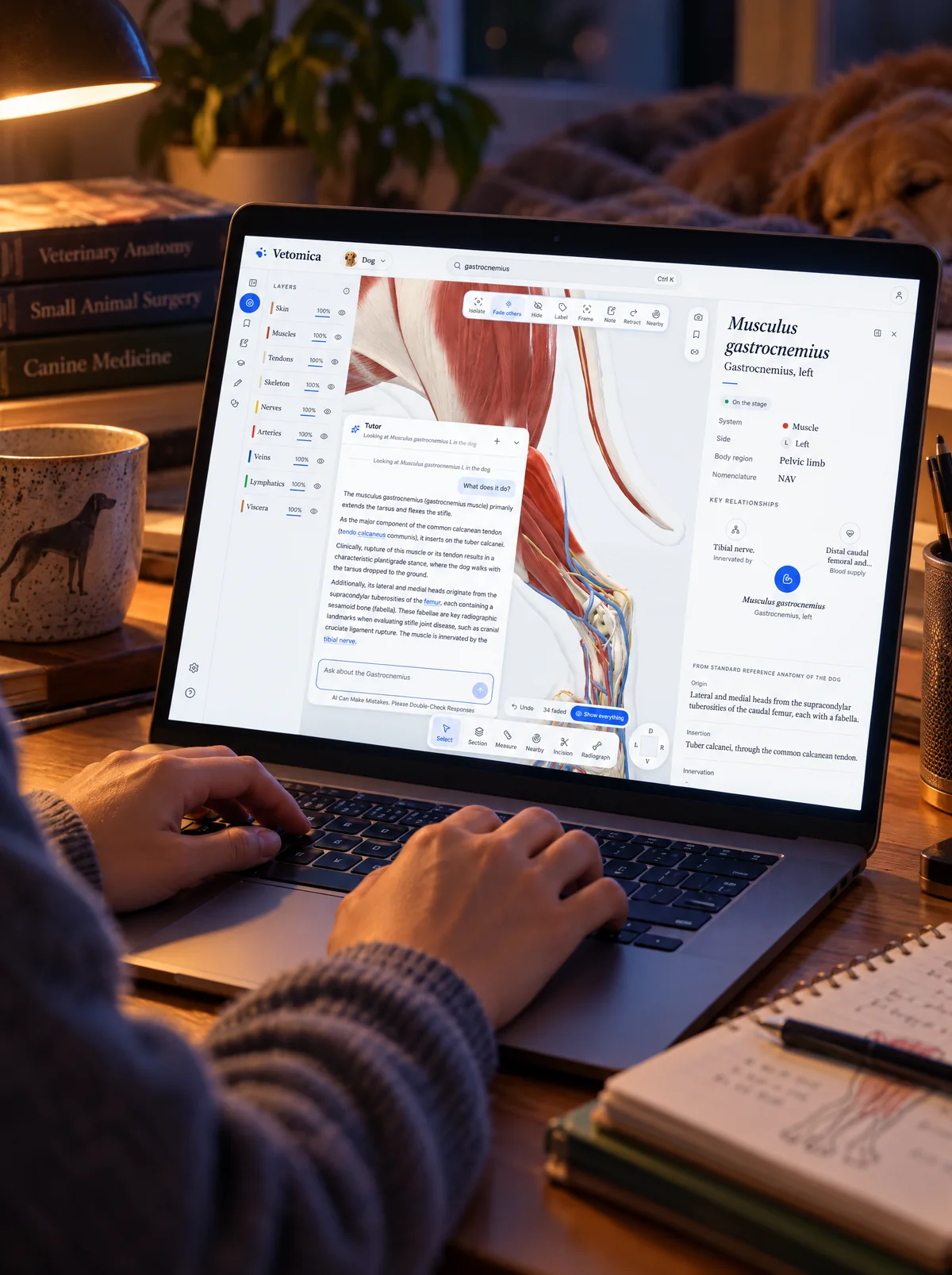
- System, side, body region, origin, insertion, innervation, blood supply and action, for the structure you selected.
- Every fact sourced
- A fact is either measured on this specimen or quoted from a named reference, and says which.
- Key relationships
- What the structure is innervated by, supplied by and lies against, each one a click away.
- Notes
- Your own notes on any structure, with tags and bookmarks.
Look
The tools of the dissecting room, without the dissection.
- Isolate, fade, hide
- Look at one structure alone, or keep its neighbours faded for context.
- Label and frame
- Put the name on the model and bring the structure to the middle of the view.
- RetractPro
- Swing a muscle aside to see what lies beneath it.
- ComparePro
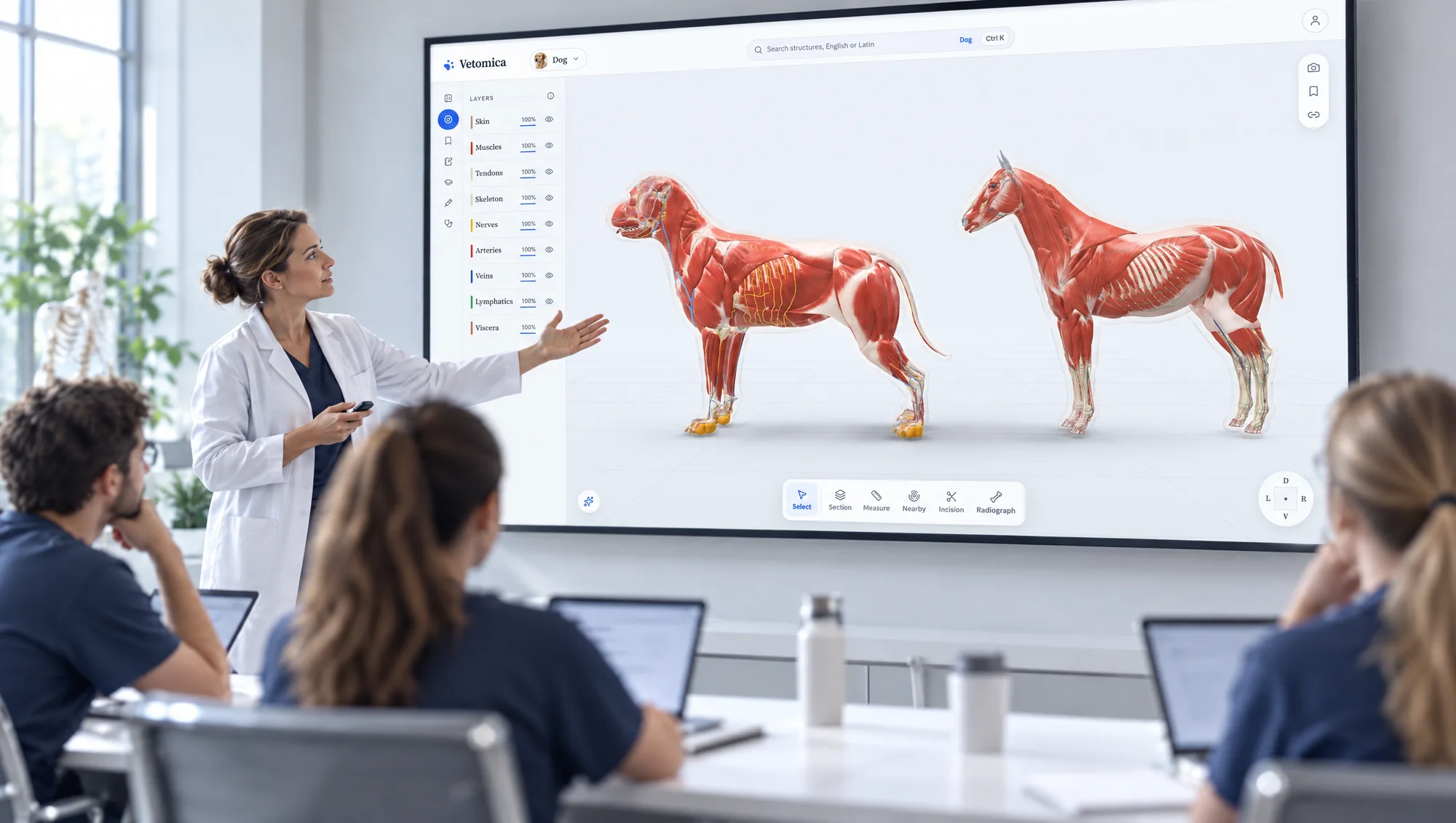
- Two species side by side, turned together, with the same structure highlighted in both.
- Standard views
- Keys 1 to 6 turn the animal to the standard views; the orientation cube does it by click.
Cut and measure
The part of a dissection you can only do once, made repeatable.
- SectionPro
- Cut the animal on a transverse, sagittal or dorsal plane and slide the plane through it.
- IncisionPro
- Draw a cut on the skin, set its width and depth, and get every nerve and vessel under it in order of depth.
- NearbyPro
- Click a point and see every named structure within a radius you set, nearest first, with how much deeper each lies.
- RadiographPro
- A simulated radiograph of the skeleton from the camera's own angle, saved as an image. Not a diagnostic image, and it says so.
- MeasurePro
- Point-to-point distances on the model.
- Undo
- Every change can be taken back, and ‘Show everything’ resets the stage in one press.

Ask and test
Questions from the animal in front of you, not from a bank written for a different book.
- The tutor
- Sees what you selected and answers in plain words; the names in its answer open on the model. Five questions a day free, unlimited on Pro.
- Quizzes
- Written from the animal on the stage, every answer explained. Some are answered by clicking the structure itself.
- Quiz modesPro
- Quick quiz, by system, by body region, identify the structure, and review your mistakes.
- Daily challenge
- The same ten questions for everyone, all day.
- Progress
- Points, tiers, day streaks and weekly goals, if you want them.
Keep and share
A scene you built is worth keeping, and worth sending.
- Saved viewsPro
- Keep the exact scene, camera, layers, labels and section, and reopen it in one click. Collections for a lecture or a revision week.
- Share linksPro
- A link that opens exactly the scene you are looking at.
- CapturePro
- Save the stage as a labelled image.
- Embed
- Put an interactive scene in a course page or a clinic's website.
- An account if you want one
- Sign in with an email link or Google so notes, views and progress follow you between devices.
The consult room
For explaining a diagnosis to someone who is not a vet, with the animal on the screen.
- ConditionsClinic
- Hip dysplasia, cranial cruciate ligament disease, intervertebral disc disease, patellar luxation, elbow dysplasia, osteochondrosis, osteoarthritis and periodontal disease on the dog, with conditions for the cat and the horse.
- Two registersClinic
- One switch between the owner's words and the clinician's.
- What you may have seenClinic
- The signs an owner describes, listed in their own language.
- A handoutClinic
- A printable page for the owner to take home.
- Honest about the model
- Where the structure itself is not modelled, the consult says so and shows what is.

Procedures
Where the anatomy turns into a needle or a blade.
- Nerve blocksPro
- Site by site on the equine limbs, from the palmar digital block upward, each with what it numbs, volume, needle and what to watch for.
- Joint injectionsPro
- The approaches to the joints, on the model.
- Surgical approachesPro
- Opened one layer at a time, naming what to protect and what the cut puts at risk at each step.
- Cited
- Each procedure names the references it follows.

Comfort
For long sessions, lecture halls and the keyboard.
- Study and Clinic workspaces
- Dense reference for study; larger type and cases first for the clinic.
- Theatre
- A dark room for the projector and for late study.
- Keyboard
- Shortcuts for every tool, and visible focus throughout.
See it on the animal.
Every animal, every layer and every name is free. Nothing to install, nothing to sign before you look.